Best AI Image Generators in 2026: 15 Tools Tested and Compared
Introduction
I generate images with AI almost every week now, mostly for blog headers, social graphics, and quick mockups when a client wants to see a concept before committing budget to a designer. Over the past year I’ve cycled through more free plans than I’d like to admit, partly out of curiosity and partly because every one of these tools changes its limits so often that what worked last month sometimes doesn’t work today.
This guide rounds up the best AI image generators I have actually used, not a list copied from a press release. I’ll walk through what each tool does well, where it falls short, and who it actually suits, whether you’re a blogger needing a quick featured image, a designer prototyping concepts, or a marketer who needs commercially safe visuals on a deadline. Free tiers, daily limits, and pricing change frequently across this category, sometimes month to month, so treat the numbers here as a snapshot and confirm current details on each provider’s official site before you commit to a workflow.
What is an AI Image Generator?
An AI image generator is software that turns a written description, called a prompt, into a visual image. You type something like “a cozy coffee shop interior with warm lighting, illustration style” and the tool produces an image matching that description within seconds. Most modern tools also let you upload a reference image, request edits in plain language, or generate variations on a theme without starting from scratch.
This category includes everything from simple browser tools built into chat assistants to advanced, locally run open-source models. Some prioritize ease of use, others prioritize creative control, and a few specialize in narrow strengths like rendering legible text inside an image.
How AI Image Generators Work
Most of today’s AI image generation tools rely on diffusion models, a technique where the system starts with random visual noise and gradually refines it into a coherent image that matches your prompt. The model has been trained on enormous datasets of images paired with text descriptions, which is how it learns to associate words like “sunset,” “watercolor,” or “golden retriever” with visual patterns.
Newer multimodal models, like Google’s image generation built into Gemini, take this further by combining language understanding with image generation in a single system, which is part of why some tools can interpret a complex prompt or a specific real-world landmark more accurately than older diffusion-only models. Google’s image model integrates world knowledge from Google’s search index, so asking for a specific building or cultural reference can produce an accurate result without a long descriptive prompt.
Benefits of AI Image Generation
- Speed: producing a usable visual in seconds instead of hours of manual design work.
- Cost savings: free tiers can replace stock photo subscriptions for many everyday use cases.
- Iteration: testing multiple visual directions for a campaign or blog post without commissioning new artwork each time.
- Accessibility: no design software or illustration skill required to produce a usable graphic.
- Customization: many tools allow style transfer, aspect ratio control, and conversational edits to refine an image without redoing it from scratch.
How We Tested These AI Tools
I evaluated each tool using a consistent approach across five practical criteria: free tier generosity, image quality and prompt accuracy, ease of use, commercial usage clarity, and how well each tool handled text rendering inside images, which remains a common weak point across this category. I ran the same handful of prompt types through each platform, including a photorealistic scene, an illustration-style graphic, a product-style shot, and a design element requiring legible text, and compared the practical experience of actually getting a usable image rather than relying on marketing claims.
It’s worth noting upfront that free plan limits across this category shift constantly. Independent testing found the quality gap between leading tools and the rest of the market to be substantial when run through identical prompts. Always check each tool’s current free tier before assuming what worked last month still applies.
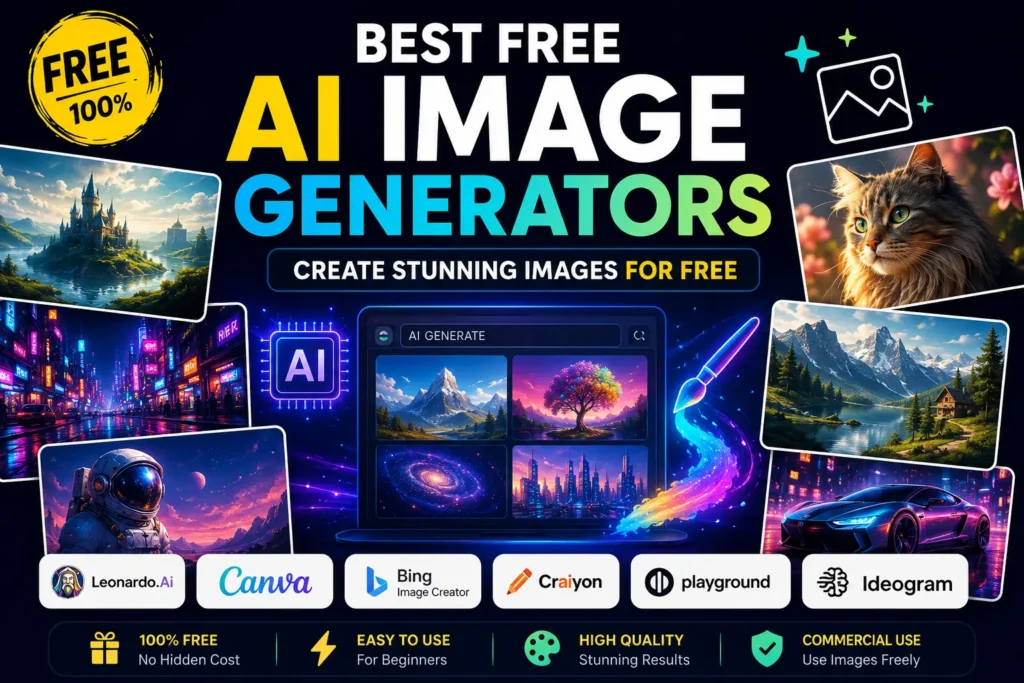
Top 15 Best Free AI Image Generators
1. Google Gemini (Nano Banana)
Overview: Google’s image generation, built directly into the Gemini app and known by its informal name Nano Banana, has become one of the most generous and capable free options available. Google released an updated version of this model, officially Gemini’s Flash image model, in early 2026, and it handles complex text rendering across more than ten languages while producing clean results across a wide range of styles.
Best For: Everyday users who want strong quality without managing a credit system.
Key Features: Conversational editing, multi-image combination, real-world knowledge of landmarks and objects, multiple aspect ratios through natural language requests.
Free Plan: Free users typically get a daily image allowance at up to 1K resolution directly in the Gemini app, with a separate, more limited allowance for the higher-end Pro version of the model. Developers can also access a free daily quota through Google AI Studio.
Premium Pricing: Paid Gemini tiers unlock higher daily limits and access to the higher-quality Pro image model. Confirm current pricing on Google’s official site, since these tiers are updated periodically.
Pros:
- Generous, easy-to-understand daily allowance instead of a confusing credit system
- Strong accuracy on real-world references and landmarks
- Solid multilingual text rendering
Cons:
- Strict content moderation that can block borderline-sensitive prompts
- Not a dedicated design tool, so precise export formats and vector work still require separate software
Image Quality: Strong, with notably accurate text and coherent lighting. Ease of Use: Very high. No prompt engineering knowledge required. Commercial Usage: All outputs carry an invisible watermark and content credentials, which is worth knowing if you plan to publish images commercially.
We can call this the best free AI image generators.
2. ChatGPT (GPT Image)
Overview: ChatGPT’s built-in image generation is arguably the easiest entry point into AI art generation for anyone who already uses the chatbot for writing or research. Its conversational workflow lets you refine an image through natural follow-up requests, such as asking it to darken a background or change a color, without needing to rewrite your entire prompt.
Best For: Beginners and anyone who prefers iterating through conversation rather than crafting a perfect prompt upfront.
Key Features: Conversational refinement, strong text rendering inside images, integration with ChatGPT’s broader writing and research capabilities.
Free Plan: Free ChatGPT accounts get a limited daily image allowance that fluctuates based on demand and current policy. Paid ChatGPT plans unlock higher limits.
Premium Pricing: Available through ChatGPT’s standard paid subscription tiers. Check OpenAI’s official pricing page for current figures, since allowances here change often.
Pros:
- Most beginner-friendly editing workflow in this category
- Strong, reliable text rendering for posters, labels, and social graphics
- No separate prompt engineering skill required
Cons:
- Free tier daily limits are tighter than some competitors
- Less suited for highly specialized stylistic control compared to dedicated art-focused tools
Image Quality: Very good, particularly for marketing assets and graphics involving readable text. Ease of Use: Excellent, the best in this list for non-technical users. Commercial Usage: OpenAI’s terms generally allow commercial use of generated images, though you should confirm the current terms before relying on this for client work.
We can call this the best free AI image generators.
3. Adobe Firefly
Overview: Adobe Firefly is the safest choice in this list for anyone worried about copyright exposure in commercial work. It is trained exclusively on licensed Adobe Stock content, openly licensed material, and public domain work, which removes much of the legal gray area present in some other generators.
Best For: Designers, marketers, and businesses that need commercially safe imagery without legal ambiguity.
Key Features: Deep integration with Photoshop and Illustrator, Generative Fill, strong licensing transparency.
Free Plan: Firefly’s free plan provides a monthly allowance of generative credits, with each generation typically producing multiple image variations.
Premium Pricing: Paid Creative Cloud plans expand credit allowances. Confirm current pricing directly with Adobe, since Creative Cloud bundles change periodically.
Pros:
- Cleared licensing makes it the safest option for client-facing or commercial deliverables
- Excellent text rendering for product labels and marketing creative
- Seamless integration if you already use Adobe’s design tools
Cons:
- Less suited to highly stylized or anime-style art compared to other generators
- Monthly credit limits can feel restrictive for high-volume users
Image Quality: Strong for realistic, commercial-style imagery. Ease of Use: Good, especially for existing Adobe users. Commercial Usage: Outputs are watermark-free on the free plan and commercial use is allowed.
We can call this the best free AI image generators.
4. Ideogram
Overview: If your image needs to include actual readable words, Ideogram is the specialist worth knowing about. Its model has effectively solved a problem most diffusion-based tools still struggle with, accurately and reliably rendering text within a generated image.
Best For: Anyone creating posters, quote graphics, product packaging mockups, or social posts where embedded text needs to be legible.
Key Features: Best-in-class text rendering, image remixing from a reference, batch generation tools for processing multiple prompts at once.
Free Plan: Ideogram’s free tier provides a daily allowance of slow-queue generations, refreshed each day.
Premium Pricing: Paid tiers remove the queue wait and expand daily limits. Check Ideogram’s site for current numbers.
Pros:
- The most reliable text-in-image rendering of any tool tested here
- Strong overall image quality beyond just text use cases
- Useful batch tools for processing many prompts at once
Cons:
- Free tier generations run through a slower queue
- Less of an all-purpose creative tool compared to Midjourney or Leonardo
Image Quality: Excellent, particularly for anything requiring legible text. Ease of Use: Good, with a clean web interface. Commercial Usage: Generally permitted, but confirm current licensing terms before commercial publishing.
We can call this the best free AI image generators.
5. Leonardo AI
Overview: Leonardo has built a loyal following among people who need a wide range of fine-tuned visual styles, from photorealism to anime to game assets, inside one platform.
Best For: Designers and creators who want strong model variety and stylistic flexibility without switching tools.
Key Features: Multiple fine-tuned models for different visual styles, canvas editor, image-to-image transformation, token-based daily credits.
Free Plan: Leonardo’s free tier is fairly generous, offering roughly 100 credits per day, which typically covers around 20 image generations.
Premium Pricing: Paid plans expand daily credits and unlock additional models. Confirm current tiers on Leonardo’s pricing page.
Pros:
- Strong value for regular free use compared to many credit-based competitors
- Wide range of specialized style models in one place
- Useful canvas and image-to-image tools beyond basic text-to-image generation
Cons:
- Token-based system requires some getting used to compared to flat daily limits
- Can feel overwhelming for absolute beginners due to the number of model options
Image Quality: Strong and versatile across styles. Ease of Use: Moderate, with a slight learning curve around model selection. Commercial Usage: Generally permitted on paid tiers; confirm specifics for free-tier outputs.
We can call this the best free AI image generators.
6. Canva (AI Image Generator)
Overview: Canva’s built-in AI image generation isn’t the most powerful model on this list, but its biggest strength is workflow convenience. You can generate an image and drop it directly into a design, presentation, or social post without exporting and re-importing anything.
Best For: Bloggers, social media managers, and small business owners who want a one-stop design and image generation workflow.
Key Features: Direct integration into Canva’s design templates, simple text-to-image interface, easy resizing for different platforms.
Free Plan: Canva’s free plan generally provides a limited lifetime allowance of generations rather than a recurring daily or monthly limit, which makes it better suited to occasional use than high-volume work.
Premium Pricing: Canva Pro expands generation limits as part of its broader subscription. Check Canva’s site for current pricing, since plan structures are updated periodically.
Pros:
- Fastest path from idea to finished, publish-ready design
- No separate export and import step needed
- Beginner-friendly for non-designers
Cons:
- Image quality is not the strongest in this category on its own
- Lifetime free generation cap is limiting for regular users
Image Quality: Decent for general use, not top-tier for photorealism. Ease of Use: Excellent, especially within an existing design workflow. Commercial Usage: Generally permitted under Canva’s terms; confirm current licensing for your specific plan.
We can call this the best free AI image generators.
7. Microsoft Designer (Bing Image Creator)
Overview: Microsoft Designer is one of the most accessible free entry points into this category, requiring nothing more than a Microsoft account.
Best For: Anyone who wants a completely free, no-friction option without managing a strict daily cap.
Key Features: Browser-based generation, no software installation, integration with Microsoft’s broader design templates.
Free Plan: Microsoft Designer offers around 15 fast generations per day along with unlimited slower generations, making it one of the more generous truly free options.
Premium Pricing: Faster generation speeds and higher limits are tied to Microsoft 365 subscriptions. Confirm current details on Microsoft’s official site.
Pros:
- Genuinely unlimited generation available, just at reduced speed
- Zero setup friction beyond a Microsoft account
- Solid general-purpose image quality
Cons:
- Less specialized than dedicated art or design-focused tools
- Fewer advanced editing controls compared to Leonardo or Firefly
Image Quality: Solid, general-purpose results. Ease of Use: Excellent, works in any browser. Commercial Usage: Generally permitted; confirm current terms for specific commercial use cases.
We can call this the best free AI image generators.
8. Midjourney
Overview: Many AI art enthusiasts still consider Midjourney the aesthetic benchmark in this category. It tends to produce some of the most visually appealing results with strong textures and color work, even as other tools have caught up or surpassed it on strict prompt accuracy.
Best For: Creatives and designers prioritizing visual impact over strict literal prompt adherence.
Key Features: Distinctive painterly aesthetic, an improving web app, fine-tuning options to match personal visual preferences.
Free Plan: Midjourney no longer offers a meaningful ongoing free tier in most cases, typically limited to a small trial allowance. Always verify current availability directly on Midjourney’s site, since this has changed more than once.
Premium Pricing: Paid plans start at a monthly subscription tier covering a set number of generations, with higher tiers unlocking more volume and faster processing.
Pros:
- Among the most visually striking outputs available
- Increasingly capable web interface, reducing reliance on Discord
- Strong fine-tuning options for a consistent personal style
Cons:
- By default, generated images are posted publicly on Midjourney’s Explore page and visible on your profile, which matters for sensitive or confidential projects
- Limited or no meaningful free tier
Image Quality: Excellent, particularly for artistic and stylized work. Ease of Use: Moderate, with some learning curve around prompt syntax. Commercial Usage: Generally permitted on paid plans; review current terms for specific use cases.
We can call this the best free AI image generators.
9. FLUX (Black Forest Labs)
Overview: FLUX has become the go-to open-weight model for anyone who wants serious quality without ongoing usage caps, provided you’re willing to either self-host or use a hosted Flux platform.
Best For: Technical users and developers who want unlimited generation without recurring fees.
Key Features: Open-weight architecture, strong photorealism, multiple variants balancing speed against quality.
Free Plan: Flux can be run locally with no daily limits if you have a capable GPU, while hosted platforms typically offer limited free credits instead.
Premium Pricing: Hosted platforms running Flux usually charge per generation or via subscription tiers; self-hosting avoids ongoing fees entirely aside from your own hardware costs.
Pros:
- Genuinely unlimited generation if self-hosted
- Strong photorealistic output, particularly for lighting and skin texture
- Open licensing gives more flexibility than closed commercial tools
Cons:
- Self-hosting requires a capable GPU and some technical setup knowledge
- Hosted free tiers are far more limited than the self-hosted option
Image Quality: Excellent, especially for photorealistic work. Ease of Use: Low for self-hosting, moderate for hosted platforms. Commercial Usage: Generally permitted under Black Forest Labs’ licensing terms; review the specific license for your use case.
We can call this the best free AI image generators.
10. Stable Diffusion (Local)
Overview: Stable Diffusion remains the most flexible and technically powerful option for anyone willing to invest the setup time. It is open source, runs locally on your own machine, and offers more granular control than virtually any other tool in this category, including custom models, LoRAs, ControlNet, and inpainting.
Best For: Technical users who need batch generation, custom model training, or fine-grained control over every parameter.
Key Features: Fully open-source ecosystem, custom model support, unlimited local generation.
Free Plan: Once running, generation is unlimited and free aside from your own electricity costs, though setting up tools like ComfyUI or Automatic1111 requires real technical knowledge.
Premium Pricing: No subscription required for local use; hosted versions of Stable Diffusion charge separately.
Pros:
- Unlimited, free local generation once set up
- Enormous ecosystem of custom models and add-ons
- Full control over every generation parameter
Cons:
- Genuine learning curve for setup and configuration
- Requires a reasonably capable computer for good performance
Image Quality: Excellent, highly dependent on the chosen model and configuration. Ease of Use: Low for beginners, high reward for technical users. Commercial Usage: Generally permitted depending on the specific model’s license; always check the license of any custom model you use.
We can call this the best free AI image generators.
11. Playground AI
Overview: Playground has historically been known for combining a generous free tier with multiple underlying algorithms, though its focus has shifted over time. More recent coverage notes that the platform moved away from pure AI art generation and reduced its free tier significantly, so it’s worth confirming current availability before relying on it.
Best For: Users who want volume for mood boards, concept exploration, or rapid iteration, where the platform’s current free tier supports it.
Key Features: Multiple model options historically including Stable Diffusion-based architectures, simple canvas-based interface.
Free Plan: Has changed substantially over time; verify the current free allowance directly on Playground’s site before planning a workflow around it.
Premium Pricing: Paid tiers typically expand generation volume and access to premium models.
Pros:
- Historically one of the more generous free tiers for volume work
- Simple interface suited to rapid iteration
Cons:
- Free tier generosity has reportedly been reduced significantly in recent updates
- Less specialized than dedicated tools like Ideogram or Firefly
Image Quality: Variable depending on the selected underlying model. Ease of Use: Good, straightforward interface. Commercial Usage: Confirm current terms directly, since this has reportedly shifted alongside other platform changes.
We can call this the best free AI image generators.
12. NightCafe
Overview: NightCafe leans into the social and community side of AI art generation more than most tools on this list, which makes it appealing if you enjoy the hobbyist, creative community aspect alongside actual image generation.
Best For: Hobbyists and creative users who enjoy a community-driven art platform rather than a pure production tool.
Key Features: A community layer with challenges and voting, multiple underlying algorithms including Stable Diffusion and DALL-E variants.
Free Plan: NightCafe provides a small number of free credits per day through daily activity, which can accumulate over time, though credit expiry dates were introduced in early 2026.
Premium Pricing: Paid credit packs unlock access to premium model architectures beyond the standard free options.
Pros:
- Welcoming community feel for creative hobbyists
- Free credits can accumulate with regular daily activity
Cons:
- Newly introduced credit expiry dates mean accumulated balances no longer last indefinitely
- Premium models generally require paid credits rather than free ones
Image Quality: Good, dependent on the selected model. Ease of Use: Good, with an approachable, social interface. Commercial Usage: Confirm current terms before commercial use, since this varies by selected model and plan.
We can call this the best free AI image generators.
13. DeepAI
Overview: DeepAI has remained a simple, no-frills option for quick image generation without an elaborate interface or steep learning curve.
Best For: Users who want a fast, straightforward generator without extra design features.
Key Features: Simple text-to-image interface, multiple style presets, API access for developers.
Free Plan: Offers a basic free allowance suitable for occasional use; confirm current limits on DeepAI’s site, since these are adjusted periodically.
Premium Pricing: Paid tiers and API credits scale with usage volume.
Pros:
- Minimal learning curve
- Fast turnaround for simple image requests
Cons:
- Less sophisticated output quality compared to leading specialized tools
- Fewer advanced editing or refinement features
Image Quality: Moderate, sufficient for casual or exploratory use. Ease of Use: Excellent, very beginner-friendly. Commercial Usage: Confirm current terms directly before commercial publishing.
We can call this the best free AI image generators.
14. Recraft
Overview: Recraft has built a strong reputation among designers for producing clean vector-style graphics and icons in addition to standard raster images, which sets it apart from most generators on this list.
Best For: Designers who need vector graphics, icons, or brand-consistent visual assets alongside standard image generation.
Key Features: Vector output support, style consistency tools, brand kit features for recurring visual identity.
Free Plan: Provides a limited free daily or monthly allowance suitable for testing the platform; confirm current limits on Recraft’s site.
Premium Pricing: Paid plans expand generation volume and unlock additional brand and vector tools.
Pros:
- Rare ability to generate clean vector graphics, not just raster images
- Strong for consistent brand visual identity work
Cons:
- Less focused on photorealistic output compared to Gemini or FLUX
- Smaller free tier than some competitors
Image Quality: Strong for vector and design-style graphics specifically. Ease of Use: Good, with a design-oriented interface. Commercial Usage: Generally permitted; confirm current licensing terms for your plan.
We can call this the best free AI image generators.
15. Getimg.ai
Overview: Getimg.ai positions itself as an accessible, all-in-one platform offering text-to-image generation alongside editing tools like inpainting and upscaling within a single interface.
Best For: Users who want generation and post-processing tools, like upscaling or background editing, in one place without switching platforms.
Key Features: Text-to-image generation, inpainting, image upscaling, multiple underlying model options.
Free Plan: Offers a limited free credit allowance for new users to test core features; confirm current limits directly on the platform.
Premium Pricing: Paid credit packs and subscription tiers scale with generation volume and access to premium models.
Pros:
- Combines generation and editing tools in one workflow
- Useful for users who need upscaling or inpainting without a separate tool
Cons:
- Free credit allowance is limited for sustained regular use
- Less specialized than dedicated tools like Ideogram for text rendering
Image Quality: Good, dependent on the selected underlying model. Ease of Use: Good, with an accessible all-in-one interface. Commercial Usage: Confirm current terms directly before commercial use.
We can call this the best free AI image generators.
Comparison Table
| Tool | Best For | Free Tier | Text Rendering | Commercial Use |
|---|---|---|---|---|
| Google Gemini (Nano Banana) | Everyday quality | Generous daily allowance | Strong | Watermarked outputs |
| ChatGPT (GPT Image) | Beginners | Limited daily allowance | Strong | Generally permitted |
| Adobe Firefly | Commercial safety | Monthly credits | Strong | Safest, licensed data |
| Ideogram | Text in images | Daily slow-queue generations | Best in class | Generally permitted |
| Leonardo AI | Style variety | ~100 credits/day | Good | Permitted on paid tiers |
| Canva | Design workflow | Limited lifetime generations | Moderate | Generally permitted |
| Microsoft Designer | No-friction access | 15 fast + unlimited slow | Moderate | Generally permitted |
| Midjourney | Artistic aesthetics | Minimal or none | Moderate | Permitted on paid plans |
| FLUX | Unlimited self-hosted use | Unlimited if self-hosted | Moderate | Per license terms |
| Stable Diffusion | Technical control | Unlimited (local) | Moderate | Per model license |
| Playground AI | Volume iteration | Reduced, verify current | Moderate | Confirm current terms |
| NightCafe | Community art | Small daily credits | Moderate | Confirm current terms |
| DeepAI | Simplicity | Basic allowance | Basic | Confirm current terms |
| Recraft | Vector graphics | Limited allowance | Good | Generally permitted |
| Getimg.ai | All-in-one editing | Limited credits | Moderate | Confirm current terms |
Best Free AI Image Generators for Beginners
For anyone new to this category, ChatGPT’s image generation and Google Gemini’s Nano Banana model are the most approachable starting points. Both let you describe what you want in plain language and refine it conversationally, without needing to learn prompt engineering syntax or manage a confusing credit system.
Best Free AI Image Generators for Bloggers
Bloggers generally want speed and a workflow that fits into existing content production. Canva is hard to beat here purely for convenience, since you can generate an image and drop it straight into a featured graphic without switching tools. If you’re also working on making your written content sound less robotic alongside your visuals, Writora’s guide on prompts to humanize AI text pairs naturally with this kind of AI-assisted content workflow.
Best Free AI Image Generators for Marketing
Marketers juggling commercial usage rights should lean toward Adobe Firefly first, given its licensed training data and legal clarity. For campaigns where embedded copy matters, like a quote graphic or a callout on a product image, Ideogram’s text rendering accuracy makes it a strong second tool in the same workflow. If your marketing strategy extends into broader content and SEO planning, Writora’s Digital Marketing eBook is a useful resource for tying these visual tools into a wider campaign plan.
Best Free AI Image Generators for YouTube Thumbnails
Thumbnails need to be eye-catching and often require legible, bold text. Ideogram’s strength in text rendering makes it a strong first choice, while Leonardo AI’s style variety gives you room to experiment with more dramatic, stylized visuals that stand out in a crowded subscription feed.
Best Free AI Image Generators for Social Media
For social content, speed and volume matter more than absolute peak quality. Microsoft Designer’s largely unlimited free generation and Canva’s direct design integration make them practical daily drivers for social media managers producing a high volume of graphics across multiple platforms.
Best Free AI Image Generators for Logo Design
Logo work benefits from clean vector output rather than raster images that pixelate when resized. Recraft’s vector generation capability fills this gap directly, while Canva’s broader template library gives you a faster path to a finished, brand-ready design once you have a concept you like.
Frequently Asked Questions
1. What is the best free AI image generators overall? Google Gemini’s Nano Banana model is widely considered one of the strongest all-around free options thanks to its generous daily allowance and consistent quality, though ChatGPT and Ideogram are excellent depending on your specific use case.
2. Can I use free AI-generated images commercially? It depends entirely on the specific tool and plan. Adobe Firefly is among the safest for commercial use due to its licensed training data, while several other tools restrict commercial use to paid tiers. Always confirm current licensing terms before publishing commercially.
3. Which AI image generator is best for text inside images? Ideogram is widely regarded as the strongest option specifically for rendering legible text within a generated image, followed closely by ChatGPT’s image generation and Google’s Gemini model.
4. Is Midjourney still free? Midjourney has largely moved away from offering a meaningful ongoing free tier, typically limiting new users to a small trial allowance. Confirm current availability directly on Midjourney’s site.
5. What’s the difference between an AI image generator and an AI art generator? The terms are generally used interchangeably, though “AI art generator” sometimes implies a stronger focus on stylized, artistic output, while “AI image generator” is the broader term covering everything from photorealistic images to design graphics.
6. Which free AI image generator is best for beginners? ChatGPT and Google Gemini are the most beginner-friendly, since both rely on natural conversational prompts rather than specialized prompt engineering knowledge.
7. Can I run an AI image generator without an internet connection? Yes, if you use a locally run open-source model like Stable Diffusion or a self-hosted FLUX setup, generation happens entirely on your own hardware without needing an internet connection once the model is downloaded.
8. Do free AI image generators add watermarks? Some do and some don’t. Google’s Gemini outputs include invisible content credentials and a watermark, while several other tools, including Adobe Firefly’s free plan, do not add visible watermarks. Check each tool’s current policy directly.
9. Which tool is best for product photography style images? Adobe Firefly and Google Gemini both perform well for clean, commercial-style product imagery, while FLUX is a strong choice if you want maximum photorealism and are comfortable with a more technical setup.
10. How often do free AI image generator limits change? Quite often. Several tools covered in this guide have adjusted their free tiers multiple times within a single year, so it’s worth checking each platform’s official pricing or help page before building a workflow around a specific limit.
Final Verdict
There is no single best free AI image generator for everyone, and after testing this many tools side by side, I’d be skeptical of any guide that claims otherwise. If you want the most generous, easy-to-use free option, start with Google Gemini’s Nano Banana model or ChatGPT’s image generation. If commercial licensing safety matters most, Adobe Firefly is the clearer choice. If your work depends on legible text inside an image, Ideogram earns its specialization. And if you’re comfortable with a technical setup and want truly unlimited generation, Stable Diffusion or a self-hosted FLUX model removes the free tier question entirely.
My honest recommendation, based on actually using these tools for real work rather than a single test prompt, is to pick two tools rather than one: a fast, conversational generator for everyday use, and a specialist tool for whatever your specific niche demands, whether that’s text rendering, vector graphics, or commercial licensing clarity. If you’re building a broader content strategy that pairs AI-generated visuals with AI-assisted writing, it’s worth reviewing Writora’s guide on prompts to humanize AI text to keep your written content from sounding as mechanical as a poorly prompted image generator. And if your visual content strategy is part of a bigger SEO and outreach push, resources like the Backlinks Bundle and Hidden Websites Bundle can help turn strong visuals into actual traffic once they’re published.