
ChatGPT vs Claude vs Gemini: Which AI Chatbot Actually Wins in 2026?
Introduction
I have spent the better part of the last year switching between ChatGPT, Claude, and Gemini for everything from writing client blog posts to debugging Python scripts at 1 a.m. Every few months a new “ultimate comparison” article shows up promising a clear winner, and almost every time it disappoints because it reads like nobody actually opened all three apps side by side.
This guide is different. I have used all three tools across real work: drafting articles for Writora, building small scripts, summarizing PDFs, brainstorming campaign ideas, and answering client emails. The goal of this ChatGPT vs Claude vs Gemini comparison is not to crown one universal champion. It is to help you figure out which AI assistant fits the way you actually work, whether you are a student cramming for exams, a blogger chasing deadlines, an SEO professional juggling ten projects, or a developer who just wants clean code without the fluff.
Pricing, model versions, and feature sets on all three platforms change often, sometimes monthly. I will flag anything that is likely to shift so you know to double check the official ChatGPT, Claude, and Gemini websites before making a final decision.
What is ChatGPT?
ChatGPT is OpenAI’s conversational AI assistant, and it is probably the first name most people think of when they hear “AI chatbot.” It launched the current wave of mainstream AI adoption, and it remains the most widely recognized name in the category. ChatGPT is built on OpenAI’s GPT family of models and is available as a free web app, a paid subscription tier, mobile apps, and through OpenAI’s API for developers who want to build it into their own products.
What makes ChatGPT appealing to a broad audience is its versatility. It handles casual conversation, technical questions, coding help, image generation through DALL-E integration, voice mode, and web browsing all inside one interface. For many people doing a quick ChatGPT comparison against other tools, the sheer breadth of built-in features is the first thing that stands out.
What is Claude?
Claude is Anthropic’s AI assistant, and if ChatGPT is the generalist, Claude has built its reputation as the thoughtful writer and careful reasoner of the group. Claude is known for producing prose that feels less robotic, handling long documents with strong context retention, and approaching sensitive topics with a noticeably cautious, well-reasoned tone.
Anthropic positions Claude heavily toward professional and enterprise use cases, and that shows in how the product behaves. In any honest Claude AI review, you will find that its strengths lie in long-form writing, document analysis, and code generation that tends to require fewer follow-up corrections. Claude is available through a web and desktop app, mobile apps, and an API for developers.
What is Gemini?
Gemini is Google’s AI assistant, built on Google’s own family of models and deeply woven into the broader Google ecosystem. If you already live inside Gmail, Google Docs, Google Sheets, or Android, Gemini’s biggest advantage is how naturally it plugs into tools you are already using every day.
A fair Gemini AI review has to acknowledge two things at once: Gemini benefits enormously from Google’s search infrastructure, which often makes it feel sharper on up-to-date factual questions, and it also benefits from native multimodal training, meaning it was built from the ground up to handle text, images, and other formats together rather than bolting that capability on afterward.
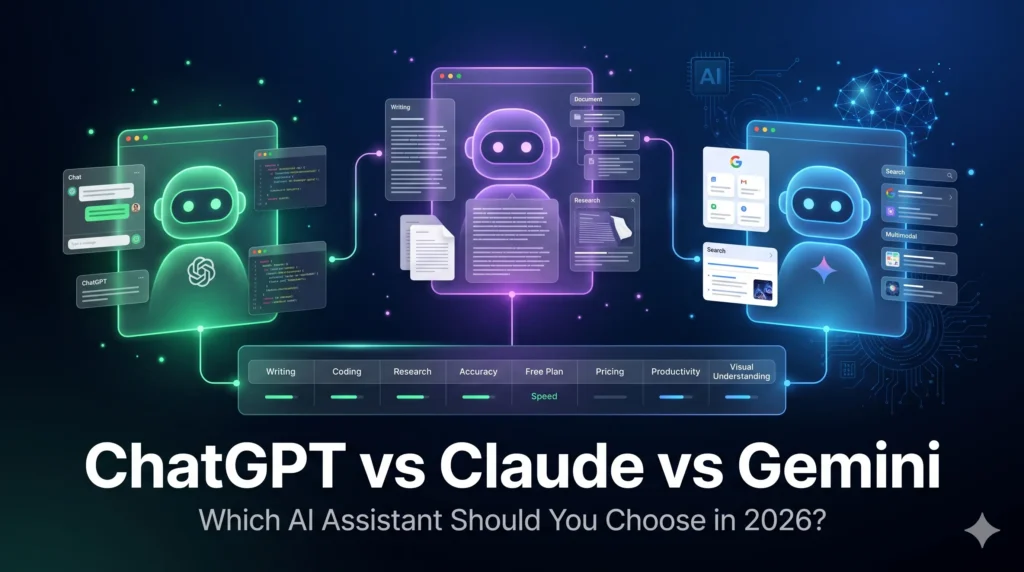
Quick Comparison Table
| Feature | ChatGPT | Claude | Gemini |
|---|---|---|---|
| Developer | OpenAI | Anthropic | |
| Best known for | Versatility, plugins, voice mode | Writing quality, reasoning, long documents | Google integration, real-time info |
| Free plan | Yes, with usage limits | Yes, with usage limits | Yes, with usage limits |
| Coding strength | Strong | Strong | Solid, improving |
| Context window | Large, varies by tier | Very large, strong document handling | Large, varies by model |
| Image understanding | Yes | Yes | Yes, native multimodal |
| Voice mode | Yes | Limited | Yes |
| Web browsing | Yes | Yes | Yes, deeply integrated with Search |
| Ecosystem integration | OpenAI tools, plugins | Anthropic and third-party API integrations | Gmail, Docs, Sheets, Android |
Note: exact limits, pricing tiers, and available models change frequently on all three platforms. Always check the official ChatGPT, Claude, and Gemini sites for the latest specifics before subscribing.
ChatGPT vs Claude vs Gemini: Feature Comparison
Writing Quality
This is where personal taste matters more than any benchmark. In my experience, Claude tends to produce the most natural-sounding long-form prose right out of the gate. Its sentences vary in rhythm, it avoids some of the more obvious AI tics, and it follows nuanced style instructions well, which matters if you are using prompts to humanize AI text for blog work. If you want a deeper look at refining AI output so it doesn’t sound robotic, Writora has a detailed guide on prompts to humanize AI text that pairs well with whichever tool you choose.
ChatGPT is close behind and arguably more consistent across different writing formats, from emails to scripts to social captions. Gemini has improved significantly but can still default to a slightly more formal, listicle-heavy structure unless you explicitly ask it not to.
Coding Performance
For anyone researching the best AI for coding, all three tools are genuinely capable now, but they have different personalities. ChatGPT is excellent for quick scripts, explaining error messages, and working through a debugging session conversationally. Claude often produces cleaner, better-commented code on the first try and handles larger codebases with more coherence when you paste in multiple files. Gemini’s coding has gotten noticeably better, particularly when paired with Google’s developer tools, but I still find myself sending the trickiest debugging problems to Claude or ChatGPT first.
Research Capability
Gemini has a real edge here because of its tight integration with Google Search. When a question depends on very recent information, Gemini frequently surfaces it faster and with clearer sourcing. ChatGPT’s browsing feature has closed much of that gap. Claude can browse too, but it generally feels more cautious about overstating confidence in recent or fast-changing facts, which some users will see as a strength and others as a limitation.
Accuracy
No chatbot is immune to mistakes, and anyone telling you otherwise hasn’t used these tools enough. In practice, all three occasionally produce confident-sounding wrong answers, particularly on niche statistics, citations, or very recent events. Claude tends to flag uncertainty more often. ChatGPT and Gemini are improving at this too, but the safest habit, regardless of which tool you use, is to verify anything that matters for a business decision, academic citation, or financial claim through a primary source.
Creativity
For brainstorming, fiction, marketing copy, and idea generation, ChatGPT and Claude both perform strongly, often producing more original angles than Gemini on open-ended creative prompts. Gemini does well with structured creative tasks, like generating variations on a theme or working within a strict format.
Image Understanding
Gemini’s native multimodal design gives it a slight edge in interpreting complex images, diagrams, and screenshots. ChatGPT and Claude both handle image understanding competently for most everyday use cases like reading a screenshot of an error message or describing a photo, but Gemini’s training advantage shows on more visually complex tasks.
File Upload Support
All three platforms support uploading documents like PDFs, spreadsheets, and images, though exact file size and format limits vary by subscription tier. Claude has historically been praised for handling long PDFs and lengthy documents with strong recall of earlier content. ChatGPT and Gemini both support solid file upload workflows as well, particularly for users already inside Microsoft or Google document ecosystems respectively.
Context Window
A larger context window means the AI can “remember” more of a long conversation or document at once. Claude has built a strong reputation around handling very long documents and conversations without losing track of earlier details. ChatGPT and Gemini both offer large context windows on their higher tiers as well. Because these specs are updated regularly across all three providers, check each platform’s current documentation for exact token limits.
Speed
ChatGPT generally feels the snappiest for short, everyday queries. Claude can feel slightly more deliberate, especially on longer reasoning tasks, though that often correlates with more thorough answers. Gemini’s speed is competitive and benefits from Google’s infrastructure, particularly for search-heavy queries.
Pricing
All three offer a free tier and one or more paid tiers aimed at individuals, power users, and businesses. Free tiers come with usage caps, slower response times during peak hours, and limited access to the most advanced models. Paid tiers unlock higher usage limits, priority access, and additional features like larger context windows or advanced reasoning modes.
Because pricing structures change fairly often and vary by region, treat any specific dollar figures you see online as a starting point rather than gospel, and confirm current pricing directly on each provider’s pricing page before subscribing.
Free Plan Comparison
If budget is the main concern, here’s how the free AI chatbot options generally stack up in practical use:
- ChatGPT Free gives you access to a solid general-purpose model with some usage limits and occasional access to browsing and image tools.
- Claude Free offers strong writing and reasoning quality but with tighter daily message limits, which can be frustrating during long work sessions.
- Gemini Free integrates well with a basic Google account and tends to be generous with everyday Google-related tasks.
For occasional use, any of the three free plans will likely serve you fine. For daily heavy use, especially for work, you will probably bump into limits fast enough that a paid plan becomes worth considering.
Which AI is Best for Students?
Students juggling research, essay writing, and exam prep tend to benefit most from a mix of strong explanation skills and patience with follow-up questions. ChatGPT is a solid all-rounder for this, especially for breaking down complex topics step by step. Claude shines when you need help structuring a long essay or want feedback on writing clarity without an overly clinical tone. Gemini’s integration with Google Docs makes it convenient if your academic workflow already lives there.
My honest recommendation: if you only want one tool, start with whichever one is already free and tied to a service you use daily, then add a second tool only if you hit real limitations.
Which AI is Best for Bloggers?
For bloggers and content creators, writing voice matters enormously. Claude consistently produces draft copy that needs less heavy editing to sound human, which is valuable if you’re working under tight publishing deadlines. ChatGPT is excellent for outlining, headline brainstorming, and quickly generating multiple angles on a topic. If you want your final drafts to read less like AI output, pairing either tool with deliberate editing techniques, like the ones covered in Writora’s guide on humanizing AI text, makes a noticeable difference regardless of which chatbot you start with.
Which AI is Best for SEO Professionals?
Anyone evaluating the best AI for SEO work needs a tool that can handle keyword clustering, content briefs, meta descriptions, and competitive analysis without constant hand holding. ChatGPT and Claude both handle structured SEO content tasks well, including generating schema markup and FAQ sections. Gemini’s search integration gives it a practical edge for quickly checking what’s currently ranking or trending on a given topic, which can feed directly into content planning.
If your SEO work also involves building authority through backlinks or outreach, it’s worth pairing your AI workflow with proven resources rather than relying on AI alone. Writora’s Backlinks Bundle and Hidden Websites Bundle are useful starting points if you’re looking for curated lists of sites to pursue for link building, something no chatbot can hand you directly.
Which AI is Best for Developers?
For developers comparing the best AI for coding, the choice often comes down to workflow. Claude tends to produce more maintainable code with sensible structure on the first attempt, which matters when working across larger files. ChatGPT remains extremely strong for conversational debugging and quick prototyping. Gemini’s developer tooling integration is appealing if you’re already inside Google’s cloud or Android development ecosystem.
In practice, many developers I know use more than one tool: one for architecture and planning, another for fast iteration. There’s no rule against mixing and matching based on the task in front of you.
Which AI is Best for Businesses?
Businesses evaluating the best AI assistant for team use need to think beyond raw output quality. Considerations include data handling policies, integration with existing tools, team seat pricing, and admin controls. Gemini has a natural advantage for businesses already standardized on Google Workspace. ChatGPT offers broad plugin and API flexibility for custom integrations. Claude is frequently chosen by businesses that prioritize careful, well-reasoned outputs for client-facing writing or sensitive document analysis.
Whichever you choose, request a trial period if available and test it on your team’s actual recurring tasks before committing to an annual plan.
Pros and Cons of Each Tool
ChatGPT
Pros:
- Broad feature set including voice, image generation, and browsing
- Strong conversational debugging for code
- Familiar, widely adopted interface
Cons:
- Free tier usage limits can feel restrictive during heavy use
- Occasionally over-confident on uncertain answers
Claude
Pros:
- Natural, high-quality long-form writing
- Strong document and context handling
- Thoughtful, well-reasoned responses
Cons:
- Free plan message limits are noticeably tight
- Fewer built-in multimedia features like voice or image generation compared to the other two
Gemini
Pros:
- Deep Google ecosystem integration
- Strong real-time research via Search
- Native multimodal strength with images and diagrams
Cons:
- Creative writing can feel more formulaic by default
- Less appealing if you don’t already use Google’s productivity tools
Real-World Use Cases
- Drafting a blog post outline under deadline: ChatGPT for fast structure, Claude for the actual prose pass.
- Summarizing a 40-page PDF report: Claude’s long-context handling makes this noticeably smoother.
- Debugging a confusing Python traceback at midnight: ChatGPT’s conversational back and forth feels fastest.
- Checking what’s trending in your niche this week: Gemini’s Search integration gets there quicker.
- Writing a sensitive client email: Claude’s tone tends to need the least editing.
- Building a quick spreadsheet formula inside Google Sheets: Gemini’s native integration wins purely on convenience.
Frequently Asked Questions
1. Which is better, ChatGPT or Claude? Neither is universally better. ChatGPT offers more built-in features like voice and image generation, while Claude tends to produce more natural long-form writing and handles long documents well. Your best choice depends on whether you prioritize versatility or writing quality.
2. Is Gemini better than ChatGPT for research? Gemini often has an edge for research questions tied to recent events, thanks to its integration with Google Search. For general research and explanation, ChatGPT performs comparably well.
3. Which AI chatbot is completely free? All three, ChatGPT, Claude, and Gemini, offer free tiers, though each comes with usage limits and restricted access to their most advanced models. Check each provider’s site for current free tier details.
4. What is the best AI for coding in 2026? Claude and ChatGPT are both strong choices for coding, with Claude often producing cleaner first-pass code and ChatGPT excelling at conversational debugging. Gemini has improved significantly but is generally a step behind for complex coding tasks.
5. Can I use ChatGPT, Claude, and Gemini together? Yes, many professionals use multiple AI tools depending on the task, such as one for writing and another for coding or research. There’s no restriction on using more than one assistant in your workflow.
6. Which AI is best for students writing essays? Claude tends to produce writing feedback and structure suggestions with a more natural tone, while ChatGPT is excellent for breaking down complex topics into understandable steps. Either works well depending on your specific need.
7. Does Claude have a mobile app? Yes, Claude is available as a mobile app in addition to its web and desktop versions, alongside an API for developers.
8. Is Gemini integrated with Google Workspace? Yes, Gemini integrates with Gmail, Google Docs, Google Sheets, and other Google Workspace tools, which is one of its biggest practical advantages for existing Google users.
9. Which AI chatbot has the largest context window? Claude has built a strong reputation for handling very long documents and conversations effectively. That said, context window sizes change across all three platforms regularly, so check current specifications on each official site.
10. What is the best AI assistant overall? There isn’t a single best AI assistant for everyone. ChatGPT suits users who want broad versatility, Claude suits those who prioritize writing quality and document handling, and Gemini suits users embedded in the Google ecosystem. The right choice depends on your specific workflow.
Final Verdict
After spending months actively working inside ChatGPT, Claude, and Gemini rather than just reading spec sheets about them, my honest takeaway is that the ChatGPT vs Claude vs Gemini debate doesn’t have a single correct answer. It has a correct answer for you, depending on what you actually do day to day.
If you want one flexible tool that does a bit of everything well, ChatGPT remains a dependable default. If your work revolves around long-form writing, document analysis, or code that needs to be clean on the first pass, Claude is worth the slightly tighter free tier limits. If you already live inside Gmail, Docs, and Sheets, or need fast access to current information, Gemini’s integration advantages are hard to ignore.
My practical suggestion: try the free tier of each for a week using your actual real tasks, not hypothetical ones, before deciding whether a paid subscription to any of them is worth your money. And if your work involves a lot of AI-assisted content creation, pairing whichever chatbot you choose with deliberate editing habits, like those in Writora’s guide on prompts to humanize AI text, will matter more for your final output quality than which AI brand you picked in the first place.
If you’re building out a broader content or marketing strategy around AI tools, resources like the AI Prompt Collection or the Digital Marketing eBook can help you turn these comparisons into an actual content plan rather than a one-off article.