
Best AI Tools for Students: A Practical, Honest Guide (2026)
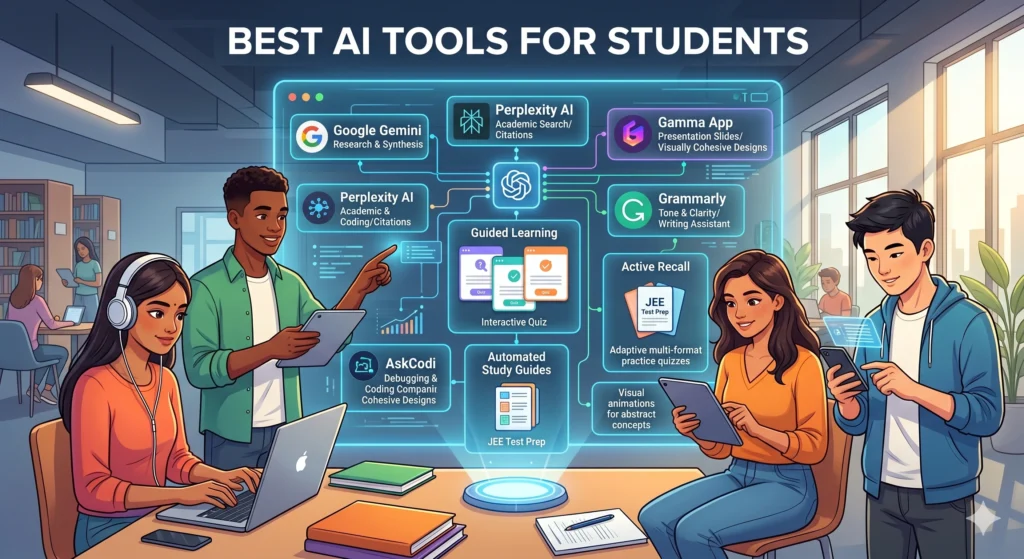
If you’re a student trying to figure out which apps are actually worth your time, you’ve probably noticed there’s no shortage of options claiming to be the “best AI tools for students.” Some genuinely save hours of work every week. Others are flashy but offer little beyond what a search engine already gave you. This guide walks through 15 tools we think are worth knowing about, what each one does well, where it falls short, and who it’s actually a good fit for, whether you’re in school, college, university, or self-studying on the side.
We’ve tried to keep this grounded. No invented statistics, no exaggerated claims about replacing your brain with software. Just a clear, practical look at free AI tools for students, AI study tools, AI homework tools, AI note-taking tools, and AI writing tools for students, so you can pick what fits your actual workflow.
Why Students Need AI Tools
Studying today looks different from what it did even five years ago. Lecture slides arrive as PDFs, readings pile up across multiple platforms, and group projects happen over chat apps instead of in person. AI tools for students aren’t magic, but they do solve some very real, very common pain points:
- Information overload, long readings and lecture recordings that need to be digested quickly before an exam.
- Time pressure, juggling multiple assignments, part-time work, and deadlines that all seem to land in the same week.
- Writing support, needing a second pair of eyes on grammar, tone, or structure when there’s no tutor available at midnight.
- Personalized pacing, not every student learns at the same speed, and AI tutoring tools can adjust to that, at least to a degree.
That said, AI tools work best as a supplement to real studying and thinking, not a replacement for it. The students who get the most value tend to use AI to clarify and organize, not to skip the learning process entirely.
How We Selected These AI Tools
We focused on tools that are widely used, reasonably well-documented, and that solve a specific, recognizable student problem — research, writing, note-taking, flashcards, tutoring, or productivity. We avoided including tools based on marketing claims alone, and we’ve tried to be upfront about limitations rather than presenting every tool as flawless. Where pricing or feature details can change frequently, we’ve noted that explicitly rather than quoting numbers we can’t verify as current.
Top 15 Best AI Tools for Students
Below is our hands-on breakdown of each tool, organized by what it’s actually best used for.
1. ChatGPT (OpenAI)
ChatGPT is probably the first AI tool most students try, and for good reason. It’s a general-purpose conversational AI that can explain concepts, draft essays, summarize readings, brainstorm ideas, debug code, and answer almost any academic question you throw at it. Think of it as a tutor who’s available at 2 a.m. when you’re stuck on a problem set and your professor’s office hours are long over.
Best For: General homework help, brainstorming, explaining difficult concepts in simple terms, and drafting/revising written work.
Key Features:
- Conversational Q&A across virtually every subject
- Can generate outlines, essays, and study guides
- Code explanation and debugging support
- Custom GPTs for specific tasks (study planning, language practice, etc.)
- Voice mode on mobile for hands-free studying
Pros:
- Extremely versatile — works for almost any subject
- Free tier is genuinely useful for everyday studying
- Large, active user community means lots of tutorials and prompt ideas online
Cons:
- Can occasionally state incorrect facts confidently (always verify before submitting work)
- Free tier may have usage limits or slower response times during peak hours
- Easy to over-rely on it for writing, which can hurt your own skill development if used carelessly
Free Plan Availability: Yes, a free plan is available with usage limits.
Pricing: Free tier available. Paid plans exist for higher usage limits and additional features; check OpenAI’s pricing page for current rates since pricing changes periodically.
2. Google Gemini
Gemini is Google’s AI assistant, and its biggest advantage for students is how tightly it’s woven into tools many of us already use — Docs, Sheets, Gmail, and Search. If you’re a student who lives inside the Google ecosystem (and most college students do, thanks to free .edu Workspace accounts), Gemini can feel like a natural extension of your existing workflow rather than a separate app to remember.
Best For: Students who already use Google Docs, Gmail, and Google Drive heavily and want AI help without switching apps.
Key Features:
- Integration with Google Docs, Sheets, and Gmail
- Can summarize long documents and emails
- Multimodal — can analyze images and some file types
- Helps draft replies, outlines, and study notes directly in Docs
Pros:
- Seamless if you’re already a Google Workspace user
- Good for summarizing and drafting inside documents you’re already working on
- Free access tier available
Cons:
- Deep integration features may depend on your school’s Workspace setup
- Like other general AI chatbots, it can make mistakes on niche or highly technical topics
- Some advanced integrations may require a paid Google One AI plan
Free Plan Availability: Yes, free access is available; some deeper integrations may require a subscription.
Pricing: Free tier available. Google offers paid AI subscription tiers for expanded features and limits.
3. Microsoft Copilot
Copilot is Microsoft’s AI assistant built into Word, Excel, PowerPoint, and Edge. If your school issues you a Microsoft 365 account (very common at universities), Copilot can help you draft assignments directly inside Word, build slide decks for presentations, and even help format spreadsheets for lab data — without leaving the app you’re already using.
Best For: Students who use Microsoft Word, PowerPoint, or Excel as their primary tools for assignments and projects.
Key Features:
- In-app drafting and editing inside Word and PowerPoint
- Can generate slide outlines from a topic or document
- Chat-based Q&A similar to other AI assistants
- Excel formula and data analysis assistance
Pros:
- Convenient if your university provides Microsoft 365 for free
- Reduces app-switching for students already working in Office
- Useful for turning research notes into a presentation skeleton
Cons:
- Full feature access often depends on your Microsoft 365 license tier
- Less useful if you primarily work in Google Docs or other platforms
- Formatting suggestions sometimes need manual cleanup to match assignment style guides
Free Plan Availability: Limited free access is available; full features often require a Microsoft 365 subscription.
Pricing: Some free functionality exists. Many advanced features are tied to Microsoft 365 Personal/Family or institutional licenses.
4. Notion AI
If you already organize your class notes, to-do lists, and project boards in Notion, Notion AI adds a writing and summarizing layer right on top of your existing workspace. Instead of copying text into a separate chatbot, you can highlight a block of notes and ask the AI to summarize it, turn it into flashcards, or clean up the grammar.
Best For: Students who already use Notion for note-taking, planning, or project management and want built-in AI assistance.
Key Features:
- Summarize long notes or meeting/lecture transcripts
- Generate action items and to-do lists from notes
- Grammar and tone improvement for written sections
- Q&A search across your own Notion workspace
Pros:
- Works directly inside your existing notes — no app switching
- Good for turning messy lecture notes into structured summaries
- Helpful for group project coordination with shared workspaces
Cons:
- AI features are typically an add-on cost on top of a Notion plan
- Less useful if you’re not already a Notion user
- Summarization quality depends on how well-organized your original notes are
Free Plan Availability: Notion itself has a free plan, but AI features are usually a paid add-on.
Pricing: Notion AI is generally offered as a paid add-on to existing Notion plans; check Notion’s pricing page for current rates.
5. Grammarly
Grammarly has been around long before the current AI boom, and it remains one of the most practical AI writing tools for students. It checks grammar, punctuation, clarity, and tone as you write — in Google Docs, Word, email, and even social media — and its AI-powered suggestions go beyond simple spell-check to flag awkward phrasing or unclear sentences.
Best For: Proofreading essays, emails to professors, and any written assignment where clarity and correctness matter.
Key Features:
- Real-time grammar, spelling, and punctuation checks
- Tone detection (formal, friendly, confident, etc.)
- Clarity and conciseness suggestions
- Plagiarism checking on paid plans
- Browser extension that works across most websites
Pros:
- Genuinely improves writing mechanics, not just typos
- Works across many platforms via browser extension
- Free plan covers core grammar and spelling checks adequately for everyday assignments
Cons:
- Advanced suggestions and plagiarism detection are behind a paywall
- Can occasionally suggest changes that alter your intended voice — review suggestions rather than accepting blindly
- Not designed for generating original content, mainly for refining what you’ve already written
Free Plan Availability: Yes, a free plan covers basic grammar and spelling checks.
Pricing: Free plan available. Premium plans unlock advanced suggestions, tone adjustments, and plagiarism detection; see Grammarly’s website for current pricing.
6. QuillBot
QuillBot is best known for its paraphrasing tool, which rewrites sentences in a different style or tone while keeping the original meaning. Students often use it to rephrase awkward sentences, simplify complex academic language, or get unstuck when a sentence just isn’t flowing. It also includes a grammar checker and summarizer.
Best For: Rewriting awkward sentences, simplifying complex text, and quick summarization of articles or notes.
Key Features:
- Paraphrasing tool with multiple tone/style modes
- Grammar checker
- Text summarizer (paragraph and bullet-point modes)
- Citation generator for common formats
Pros:
- Useful for rephrasing your own drafts to improve flow
- Summarizer is handy for quickly reviewing long readings before class
- Free tier allows a reasonable amount of daily use
Cons:
- Should never be used to paraphrase someone else’s work and submit it as original — that’s still plagiarism even if the wording changes
- Free plan limits word count per request
- Heavy reliance on paraphrasing tools can mask weak understanding rather than build it
Free Plan Availability: Yes, with daily word-count limits on free usage.
Pricing: Free plan available with limits. Premium plans remove word limits and add extra modes; check QuillBot’s site for current pricing.
7. Otter.ai
Otter.ai records and transcribes lectures, meetings, and study group discussions in real time, then lets you search the transcript and pull out key points. For students who struggle to take notes and listen at the same time, this can be genuinely useful — you focus on understanding the lecture while Otter handles the transcript.
Best For: Recording and transcribing lectures, seminars, and group study sessions.
Key Features:
- Real-time transcription with speaker labels
- Automatic summary generation from recordings
- Keyword search across past transcripts
- Integration with Zoom and Google Meet for online classes
Pros:
- Frees you up to actually listen and engage during lectures
- Searchable transcripts make exam review much faster
- Useful for group projects to keep a record of who said what
Cons:
- Free plan has monthly transcription minute limits
- Accuracy can dip with heavy accents, overlapping speakers, or poor audio quality
- Always check your school or professor’s policy on recording lectures before using it
Free Plan Availability: Yes, with limited monthly transcription minutes.
Pricing: Free tier with monthly limits. Paid plans increase transcription minutes and add features; see Otter.ai’s pricing page for details.
8. NotebookLM (Google)
NotebookLM is a research and reading assistant that lets you upload your own documents, lecture slides, or readings, then ask questions strictly based on that material. Unlike a general chatbot, it grounds its answers in the sources you provide, which makes it especially useful for working through dense textbook chapters or research papers without hallucinated facts creeping in as easily.
Best For: Studying from a specific set of readings, textbook chapters, or research papers without losing context.
Key Features:
- Upload PDFs, Docs, and other source material to build a custom notebook
- Ask questions answered specifically from your uploaded sources
- Auto-generated summaries and study guides from your materials
- Source citations pointing back to the exact passage used
Pros:
- Reduces the risk of made-up information since answers are grounded in your own sources
- Great for exam prep when you need to digest a stack of readings quickly
- Free to use at the time of writing
Cons:
- Only as good as the documents you upload — garbage in, garbage out
- Less useful for general questions outside your uploaded material
- Newer tool, so features and limits may change over time
Free Plan Availability: Yes, free to use, though availability and limits may vary by region.
Pricing: Free at the time of writing. Always check Google’s official page for the latest availability.
9. Quizlet (with AI features)
Quizlet has long been a student favorite for flashcards, and it now includes AI-assisted features that can generate flashcard sets and practice questions from your notes or textbook material. Instead of manually typing out flashcards for every chapter, you can let the AI draft a starting set that you then refine.
Best For: Building flashcards and practice quizzes quickly for exam revision.
Key Features:
- AI-generated flashcards from pasted notes or text
- Practice tests and adaptive learning modes
- Pre-made flashcard sets shared by other students
- Multiple study modes including matching games and timed quizzes
Pros:
- Saves significant time compared to manually creating flashcards
- Huge existing library of shared study sets for common courses and textbooks
- Works well on mobile for on-the-go review
Cons:
- AI-generated cards sometimes need manual editing for accuracy
- Shared sets from other students aren’t always verified for correctness
- Some AI and premium features sit behind a paid plan
Free Plan Availability: Yes, a free plan covers core flashcard and study features.
Pricing: Free plan available. Quizlet Plus unlocks additional AI features and study modes; check Quizlet’s site for current pricing.
10. Turnitin (for originality and feedback)
Turnitin isn’t a tool students choose themselves — it’s typically required by instructors to check assignments for originality and, increasingly, to flag AI-generated text. It’s worth understanding even though you don’t pick it, because many of the other tools on this list (paraphrasers, AI writers) can trigger similarity or AI-writing flags in Turnitin reports.
Best For: Understanding how instructors check submitted work for originality and AI-generated content.
Key Features:
- Similarity reports comparing your text against a large database of sources
- AI writing detection indicators (with known accuracy limitations)
- Feedback Studio for instructor comments and rubric-based grading
Pros:
- Helps you understand citation gaps or accidental similarity before instructors see it, if your school allows student self-checks
- Encourages good citation habits
- Widely used, so understanding it helps you avoid academic integrity issues
Cons:
- AI-detection results are not perfectly reliable and can produce false positives — don’t treat a flag as definitive proof of misconduct
- Students usually can’t access it directly unless their institution permits it
- Not a writing or study tool in the traditional sense; it’s a compliance and feedback tool
Free Plan Availability: Generally not available directly to individual students; access is provided through institutions.
Pricing: Institutional licensing model; individual students typically don’t pay directly.
11. Khanmigo (Khan Academy)
Khanmigo is Khan Academy’s AI tutor, designed specifically with guardrails for educational use rather than just answering questions outright. Instead of handing you the answer to a math problem, it’s built to guide you through the reasoning step by step — closer to how a patient human tutor might respond.
Best For: School-age students and self-learners who want Socratic-style tutoring rather than direct answers.
Key Features:
- Step-by-step guided problem solving instead of instant answers
- Subject coverage aligned with Khan Academy’s existing curriculum
- Writing feedback and coaching features
- Designed with educational safety considerations in mind
Pros:
- Encourages actual learning rather than answer-copying
- Integrates with Khan Academy’s existing free course library
- Good option for parents and teachers who want a more guided AI experience for younger students
Cons:
- Availability and pricing have varied by region and partnership agreements — check current status before relying on it
- Less flexible than general chatbots for open-ended tasks outside academic coaching
- May feel slower than a direct-answer chatbot for students who just need a quick check
Free Plan Availability: Availability has varied; some access has been offered through school or district partnerships. Check Khan Academy’s current offering.
Pricing: Pricing and access have changed over time through different partnership models; confirm current details on Khan Academy’s site.
12. Wolfram Alpha
Wolfram Alpha isn’t a chatbot — it’s a computational engine that actually solves math, science, and engineering problems step by step rather than guessing at an answer in natural language. For STEM students, this distinction matters: where a general chatbot might make an arithmetic slip, Wolfram Alpha is built on actual computational logic.
Best For: Solving and checking math, statistics, physics, and engineering problems with step-by-step work shown.
Key Features:
- Step-by-step solutions for calculus, algebra, and statistics problems
- Graphing and equation plotting
- Unit conversions and scientific data lookups
- Specialized calculators for chemistry, physics, and engineering
Pros:
- More reliable for precise calculations than general-purpose chatbots
- Step-by-step breakdowns help you learn the method, not just the answer
- Useful as a double-check tool even if you solved a problem yourself
Cons:
- Step-by-step solutions are typically a paid feature, while the free version mainly gives the final answer
- Less helpful for essay-based or conceptual subjects outside STEM
- Interface can feel less conversational than chat-based AI tools
Free Plan Availability: Yes, a free tier gives basic answers; step-by-step solutions usually require a paid subscription.
Pricing: Free basic access available. Wolfram Alpha Pro unlocks step-by-step solutions and extra features; check their site for current pricing.
13. Consensus
Consensus is an AI-powered search engine built specifically for academic research papers. Instead of sifting through pages of Google Scholar results, you can ask a research question in plain English and get a synthesized summary of what peer-reviewed studies actually say, with links back to the original papers.
Best For: College and university students working on research papers, literature reviews, or evidence-based assignments.
Key Features:
- Plain-language search across peer-reviewed research
- Consensus meter showing how much agreement exists across studies on a claim
- Summaries of individual papers’ findings
- Direct links to source papers for citation
Pros:
- Saves significant time during the early research and literature review phase
- Helps you gauge how settled or contested a research claim actually is
- Reduces the temptation to cite a single study as definitive proof of something
Cons:
- Free tier limits the number of searches or features available
- Still requires you to actually read and verify the underlying papers — don’t cite the summary instead of the source
- Coverage depends on what’s indexed in its academic database, so very niche topics may return limited results
Free Plan Availability: Yes, a free tier is available with usage limits.
Pricing: Free tier available. Premium plans expand search limits and features; check Consensus’s site for current pricing.
14. Elicit
Elicit is similar in spirit to Consensus but leans more heavily into helping with systematic literature reviews — extracting data points across multiple papers into a comparison table automatically. If you’re working on a thesis, dissertation, or a research-heavy course paper, Elicit can speed up the tedious process of comparing methodology and findings across dozens of studies.
Best For: Literature reviews, thesis research, and comparing findings across multiple academic papers.
Key Features:
- Extracts key data points (sample size, methods, outcomes) from papers into a table
- Summarizes individual papers on request
- Helps identify related papers based on a research question
- Useful for narrowing a broad research question into a manageable scope
Pros:
- Significantly speeds up comparing multiple studies side by side
- Good for graduate-level or thesis research where literature review depth matters
- Helps surface papers you might not have found through standard keyword search
Cons:
- Extracted data should always be spot-checked against the original paper for accuracy
- Best suited to more advanced research projects rather than quick homework help
- Free usage limits may require planning your research sessions in advance
Free Plan Availability: Yes, with usage limits on the free tier.
Pricing: Free tier available with limits. Paid plans increase usage allowances; check Elicit’s website for current pricing.
15. Canva (Magic Studio / AI features)
Canva isn’t exclusively an academic tool, but its AI-powered design features have become genuinely useful for students who need to turn research into a presentation, infographic, or poster. Instead of starting from a blank slide, you can describe what you need and get a design starting point, then customize fonts, colors, and layout.
Best For: Creating presentations, infographics, and visual projects for class assignments without needing design skills.
Key Features:
- AI-assisted design suggestions and templates
- Text-to-image generation for illustrating slides (within usage policies)
- Background remover and image editing tools
- Large library of free templates for academic presentations
Pros:
- Makes professional-looking presentations accessible to students without design experience
- Free plan covers most everyday student presentation needs
- Good for visual learners who want to turn notes into infographics for review
Cons:
- Some premium templates, fonts, and AI features require a paid plan
- AI-generated images should be used carefully and in line with your institution’s policy on AI-generated visual content
- Not a substitute for understanding presentation content — it only helps with the visual packaging
Free Plan Availability: Yes, a generous free plan is available.
Pricing: Free plan available. Canva Pro unlocks additional templates, AI features, and brand kits; check Canva’s site for current pricing.
“If you’re also creating content alongside studying, check out our guide on the best AI tools for content creators.“
Comparison Table: Best AI Tools for Students at a Glance
Tool | Best For | Free Plan |
ChatGPT (OpenAI) | General homework help, brainstorming, explaining difficult concepts in simple terms, and drafting/revising written work | Yes |
Google Gemini | Students who already use Google Docs, Gmail, and Google Drive heavily and want AI help without switching apps | Yes |
Microsoft Copilot | Students who use Microsoft Word, PowerPoint, or Excel as their primary tools for assignments and projects | Limited/Varies |
Notion AI | Students who already use Notion for note-taking, planning, or project management and want built-in AI assistance | Limited/Varies |
Grammarly | Proofreading essays, emails to professors, and any written assignment where clarity and correctness matter | Yes |
QuillBot | Rewriting awkward sentences, simplifying complex text, and quick summarization of articles or notes | Yes |
Otter.ai | Recording and transcribing lectures, seminars, and group study sessions | Yes |
NotebookLM (Google) | Studying from a specific set of readings, textbook chapters, or research papers without losing context | Yes |
Quizlet (with AI features) | Building flashcards and practice quizzes quickly for exam revision | Yes |
Turnitin (for originality and feedback) | Understanding how instructors check submitted work for originality and AI-generated content | No (institutional) |
Khanmigo (Khan Academy) | School-age students and self-learners who want Socratic-style tutoring rather than direct answers | Limited/Varies |
Wolfram Alpha | Solving and checking math, statistics, physics, and engineering problems with step-by-step work shown | Yes |
Consensus | College and university students working on research papers, literature reviews, or evidence-based assignments | Yes |
Elicit | Literature reviews, thesis research, and comparing findings across multiple academic papers | Yes |
Canva (Magic Studio / AI features) | Creating presentations, infographics, and visual projects for class assignments without needing design skills | Yes |
Which AI Tool Is Best for Different Types of Students?
Best AI Tools for School Students
Younger students generally benefit most from guided tutoring tools rather than tools that just hand over answers. Khanmigo’s step-by-step approach and Quizlet’s flashcards are good starting points, alongside Wolfram Alpha for math homework checking.
Best AI Tools for College Students
College students juggling multiple courses tend to lean on a mix: ChatGPT or Gemini for general homework help, Grammarly or QuillBot for polishing essays, and Otter.ai for lecture transcription during a busy semester.
Best AI Tools for University and Graduate Students
At the university and graduate level, research-focused tools matter more. Consensus and Elicit are particularly useful for literature reviews and thesis work, while NotebookLM helps manage large stacks of assigned readings.
Best AI Tools for Self-Learners
If you’re learning independently — no syllabus, no professor to ask — general chatbots like ChatGPT or Gemini combined with Quizlet for self-testing tend to cover most needs without requiring a paid subscription.
Best AI Tools for Teachers
Teachers often find value in Canva for creating visual materials, Otter.ai for recording and transcribing lessons or meetings, and Turnitin (provided through their institution) for originality checking on submitted work.
Tips for Using AI Responsibly in Education
- Always check your school’s or course’s specific AI policy before using any tool for graded work — policies vary widely between institutions and even between professors.
- Use AI to clarify and organize, not to bypass the thinking. If you can’t explain the AI’s output in your own words afterward, you probably haven’t actually learned the material.
- Fact-check anything an AI chatbot tells you, especially specific numbers, dates, or citations — these tools can sound confident while being wrong.
- Keep a record of how you used AI tools (e.g., for outlining vs. final drafting) in case you need to explain your process to an instructor.
- Don’t use paraphrasing tools to disguise someone else’s work as your own — that’s still plagiarism, regardless of how the wording changes.
- Be cautious about uploading sensitive personal or institutional data into third-party AI tools unless you’re sure about their privacy practices.
If you want a deeper, structured walkthrough on building efficient study habits around these tools, we’ve put together a more detailed resource here: AI Productivity Guide for Students
https://tahaimam.gumroad.com/l/ebook
Frequently Asked Questions
What is the best free AI tool for students overall?
There isn’t a single universal answer since it depends on your needs, but ChatGPT’s free tier and Google Gemini are commonly used starting points for general homework help, while NotebookLM and Wolfram Alpha’s free tiers are strong for research and math respectively.
Is it okay to use AI tools for college assignments?
It depends entirely on your institution’s and instructor’s specific policy. Many schools now allow AI for brainstorming or editing but restrict it for fully generated submissions. Always check your syllabus or ask your professor directly.
Can teachers detect AI-generated writing?
Tools like Turnitin offer AI-detection features, but these are not perfectly accurate and can produce false positives. Detection technology is still evolving, so relying on AI to write entire assignments is risky both academically and ethically.
What are the best AI tools for note-taking?
Otter.ai for transcribing lectures and Notion AI for organizing and summarizing notes are widely used. NotebookLM is also strong for turning readings into structured study notes.
Are AI summarizers accurate for academic reading?
They’re generally helpful for getting the gist of a long text, but summarizers can miss nuance or oversimplify complex arguments. Always read key sections yourself, especially for material you’ll be tested on or cite in writing.
Which AI tool is best for research papers?
Consensus and Elicit are built specifically for searching and synthesizing academic literature, making them better suited to research papers than general chatbots.
Do AI writing tools replace the need to learn writing skills?
No. Tools like Grammarly and QuillBot are best used to refine and polish your own writing, not to replace the thinking and drafting process. Over-relying on them can slow down your own skill development over time.
Is ChatGPT free for students?
ChatGPT offers a free tier with usage limits. Paid plans exist for higher limits and additional features, and pricing can change, so it’s worth checking OpenAI’s official pricing page for the latest details.
What’s the difference between AI study tools and AI writing tools?
AI study tools (like Quizlet or NotebookLM) help you review, organize, and retain material, while AI writing tools (like Grammarly or QuillBot) help you draft, edit, and polish written assignments. Many students use a combination of both.
Can AI tools help students with math and science homework?
Yes, particularly computational tools like Wolfram Alpha, which shows step-by-step solutions rather than just a final answer, helping you understand the method rather than just copying a result.
Final Verdict
There’s no single “best” AI tool for every student — the right pick depends on whether you need help researching, writing, organizing notes, or working through math problems. If we had to generalize: start with a free general-purpose assistant like ChatGPT or Gemini for everyday homework help, add Grammarly or QuillBot when your writing needs polishing, and bring in a research-specific tool like Consensus, Elicit, or NotebookLM once your assignments get more research-heavy.
Whatever combination you choose, treat these tools as study aids, not shortcuts around learning. Used thoughtfully, AI education tools can genuinely make student life less overwhelming. Used carelessly, they can quietly erode the very skills your coursework is meant to build.
Looking for more curated resources to support your study workflow? Check out our recommended productivity bundle:
https://tahaimam.gumroad.com/l/wnxdcz